# Tauriを試してみる
- 公開日: 2022-06-19
- タグ: Rust, Angular
- URL: https://tminasen.dev/blog/49e96efeafa81d005101a61d382bf8
> Rust製フレームワークTauri 1.0を試した記録。create-tauri-appとAngularでプロジェクトを作成して起動し、ウィンドウサイズの変更やRustの関数をJSから呼び出す方法、開発ツールのエラーを試している。
# はじめに
Electron代替を目指すRust製FWのTauriがバージョン1.0になり、正式リリースされたので試してみる。
# TL;DR.
[今回作ったコード](https://github.com/tminasen/program-samples/tree/master/tauri-sample)
# 前提条件
Rustがinstall済みであること。
install方法は下記参照。
[Prerequisites | Tauri Studio](https://tauri.app/v1/guides/getting-started/prerequisites)
# 起動するとこまで試してみる
## プロジェクトの作成
`create-tauri-app`を使ってプロジェクトを作成する。
対話形式で色々聞かれるので好みのものを選んでいく。
今回フロントエンドのFEはAngularにした。
ので、途中からはAngular CLIの質問になっている(はず)
```bash
-> % npx create-tauri-app
We hope to help you create something special with Tauri!
You will have a choice of one of the UI frameworks supported by the greater web tech community.
This tool should get you quickly started. See our docs at https://tauri.studio/
If you haven't already, please take a moment to setup your system.
You may find the requirements here: https://tauri.studio/v1/guides/getting-started/prerequisites
Press any key to continue...
? What is your app name? tauri-sample
? What should the window title be? Tauri Sample
? What UI recipe would you like to add? Angular CLI (https://angular.io/cli)
? Add "@tauri-apps/api" npm package? Yes
>> Running initial command(s)
? Would you like to add Angular routing? Yes
? Which stylesheet format would you like to use? SCSS [ https://sass-lang.com/documentation/syntax#scss ]
# install部分省略
>> Updating "tauri.conf.json"
>> Running final command(s)
Your installation completed.
$ cd tauri-sample
$ npm run tauri dev
```
## 動かしてみる
完了メッセージにあるコマンドで動かしてみる。
```bash
-> % npm run tauri dev
> tauri-sample@0.0.0 tauri
> tauri "dev"
Running BeforeDevCommand (`npm run start`)
Warn Waiting for your frontend dev server to start on http://localhost:4200/...
> tauri-sample@0.0.0 start
> ng serve
? Would you like to share anonymous usage data about this project with the Angular Team at
Google under Google’s Privacy Policy at https://policies.google.com/privacy. For more
details and how to change this setting, see https://angular.io/analytics. (y/N) N
Warn Waiting for your frontend dev server to start on http://localhost:4200/...
Warn Waiting for your frontend dev server to start on http://localhost:4200/...
Warn Waiting for your frontend dev server to start on http://localhost:4200/...
```
動かない……
おそらく`ng serve`した際のポリシーに同意するかどうかの回答で上手く動いていないと思われる。
同意は初回だけなので、一度`npm start`して別途回答してあげれば解決する。
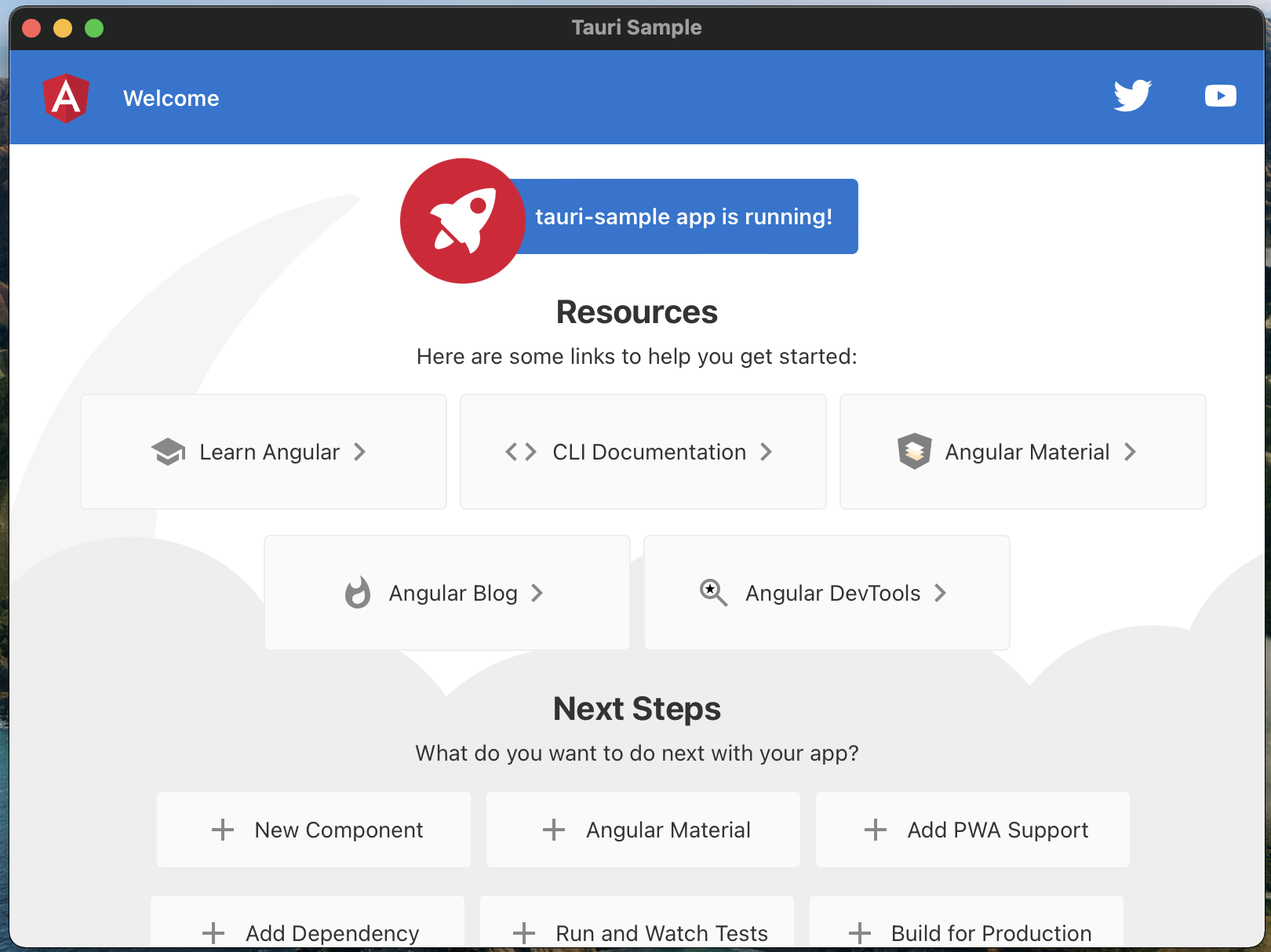
同意後、改めて`npm run tauri dev`を実行し、Angular CLIで設定した場合の初期(+tauriのメッセージ)が表示されるウィンドウが立ち上がればOK。
# 他にも色々試してみる
## ウィンドウサイズを変更する
デフォルトだと800x600になっているのを変更する。
ウィンドウサイズは`src-tauri/tauri.config.json`の`tauri.windows`に記載があるのでそこを変えればOK。
(ほかは省略)
```json
{
"tauri": {
"windows": [
{
"fullscreen": false,
"height": 1080,
"resizable": true,
"title": "Tauri Sample",
"width": 1920
}
]
}
}
```
## Rustで記載した関数をJS側から呼び出してみる
Rustで記載したJS側から呼び出すことができる。
今回は引数受け取って値を返す簡単な例で試してみる。
### Rust側の対応
jsで呼び出す関数(コマンド)は`main.rs`に`#[tauri::command]`を付けた関数を追加することで作成できる。
作成した関数をbuilderに渡せば良い。Rust側の準備はこれで完了。
```rust
#[tauri::command]
fn custom_greet(name: String) -> String {
format!("Hello {}!", name).into()
}
fn main() {
let context = tauri::generate_context!();
tauri::Builder::default()
.menu(tauri::Menu::os_default(&context.package_info().name))
.invoke_handler(tauri::generate_handler![custom_greet])
.run(context)
.expect("error while running tauri application");
}
```
### JS側の対応
jsでは`invoke`という関数を使い、Rustで定義した関数を呼び出す。
Rustで定義した関数に引数を渡すには、Rust側の関数の仮引数を**キャメルケースにした**JSONオブジェクトを`invoke`に渡してあげれば良い。
`invoke`の戻り値は`Promise` かつ `unknown`で返ってくるので、戻り値を使う場合はちゃんとハンドリングしてあげる必要がある。
```tsx
import {invoke} from '@tauri-apps/api';
async function greet() {
const result = await invoke('custom_greet', {name: 'Taro'});
}
```
### 実装してみる
上記をまとめてフロントエンドで入力した値をRust側に渡し、戻ってきた値を表示するところまで作ってみる。
Rust側は上記の例のままで良いのでフロント側を記載する。
`**app.component.html**`
```html
Please input your name.
{{ message }}
```
**`app.component.ts`**
```tsx
import {Component} from '@angular/core';
import {FormControl} from '@angular/forms';
import {invoke} from '@tauri-apps/api';
@Component({
selector: 'app-root',
templateUrl: './app.component.html',
styleUrls: ['./app.component.scss']
})
export class AppComponent {
public readonly nameForm = new FormControl('');
public message: string | null = null;
public async greet() {
const name = this.nameForm.value;
if (!name) {
throw new Error(`name is required.`);
}
const result = await invoke('custom_greet', {name});
// unknownで返ってくるのでハンドリング
if (typeof result !== 'string') {
throw new TypeError(`result(${result}) is not string.`);
}
this.message = result;
}
}
```
**`app.module.ts`**
```tsx
import {NgModule} from '@angular/core';
import {ReactiveFormsModule} from '@angular/forms';
import {BrowserModule} from '@angular/platform-browser';
import {AppRoutingModule} from './app-routing.module';
import {AppComponent} from './app.component';
@NgModule({
declarations: [
AppComponent
],
imports: [
BrowserModule,
AppRoutingModule,
// ReactiveFormsModuleを追加
ReactiveFormsModule
],
providers: [],
bootstrap: [AppComponent]
})
export class AppModule {
}
```
下記の通り動けばOK。

### Dev Toolを開くとエラーになる?
macOSでweb viewのDev Toolを起動すると以下のようなエラーが出る。
```bash
2022-06-19 18:20:27.219 app[15153:4264805] NSWindow warning: adding an unknown subview: . Break on NSLog to debug.
2022-06-19 18:20:27.229 app[15153:4264805] Call stack:
```
どうやら既知の問題らしい。
自分の環境ではクラッシュするなど動作への影響はなかったので解決を見守るのが良さそう。
[NSWindow warning: adding an unknown subview · Issue #273 · tauri-apps/wry](https://github.com/tauri-apps/wry/issues/273)
# まとめ
Rust製のデスクトップ向けFWであるTauriを試してみた。
Electronとは違いJSだけでは完結しないものの、機能的には使いやすいと感じた。
特別特定のフロントエンドFW依存しているわけでもなかったので、Electronから移行したいってなった場合も大きく困ることはなさそう。
まだリリースされたばかりなので今後に期待しつつ、現状Electronを使っているアプリ(VSCodeなど)が載せ替えて行くのか気になるところ。
# 参考リンク
- [Build smaller, faster, and more secure desktop applications with a web frontend | Tauri Studio](https://tauri.app/img/index/tauri_1_0_dark.svg)
- [tauri\-apps/create\-tauri\-app: A toolkit to rapidly scaffold out a new tauri\-apps project using the framework of their choice\.](https://github.com/tauri-apps/create-tauri-app)
- [Calling Rust from the frontend \| Tauri Studio](https://tauri.app/v1/guides/features/command)
- [NSWindow warning: adding an unknown subview · Issue #273 · tauri-apps/wry](https://github.com/tauri-apps/wry/issues/273)